They Can Search Your Phone at the Border. Here's What That Actually Means.
Hong Kong passed a law making it a crime to refuse to hand over your device password at the border. The U.S. hasn't gone that far — yet. What border agents can actually do with your phone, and what you can do about it.
Hong Kong just made it a crime to refuse to hand over your device passwords at the border. Up to a year in prison. HK$100,000 in fines. It applies to tourists, business travelers, and transit passengers connecting through HKIA.
The law took effect in early April 2026, and the coverage has been breathless. But here's what most of it misses: Hong Kong isn't the outlier. It's just the most explicit about what it's doing.
Most major countries already claim the authority to search your phone when you cross their border. The U.S. has been doing it without a warrant for years. New Zealand will fine you for refusing to hand over your passcode. The UK can demand your passwords under counter-terrorism law without even having a reason to suspect you of anything. What varies isn't whether they can. It's how often they do, what happens when you say no, and whether you're a citizen or a guest.
Lisa and I have crossed well over a hundred borders in eleven-plus years of full-time travel. We carry our entire digital lives on our devices—every document, every financial record, every piece of correspondence. We've never been asked to unlock a phone at a border. But "it hasn't happened to us" is an anecdote, not a risk assessment. So I did what I always do: I read the actual law.
How Broad Is the Authority?
Broader than you think.
In the United States, Customs and Border Protection (CBP) operates under something called the "border search exception" to the Fourth Amendment. At the border, they don't need a warrant. They don't need probable cause. For a basic search—an officer manually scrolling through your phone—they don't even need a reason.
An "advanced search," where they connect your device to forensic extraction equipment, requires reasonable suspicion and supervisor approval. But the definition of "advanced" is narrower than it sounds. Plugging into your phone to bypass a password or charge a dead battery doesn't count. Only connecting equipment to copy and analyze your data crosses that threshold.
New Zealand will demand your passcode if they have "reasonable suspicion" of criminal offending. Refuse and you face prosecution and a fine of up to NZ$5,000—though only by court order, not on the spot. That detail matters. A lot of the coverage gets it wrong, calling it an instant fine. It isn't.
In the UK, Schedule 7 of the Terrorism Act 2000 gives officers at ports the power to stop, question, and search anyone—including demanding device passwords—without reasonable suspicion. It's specifically for determining involvement in terrorism, but the scope is broad and the threshold for using it is low. Separately, the Border Security, Asylum and Immigration Act 2025 created additional powers to search devices in connection with immigration offenses.
China, Australia, Canada, Israel—the pattern repeats. The legal authority exists nearly everywhere you're likely to travel. The question isn't whether border agents can search your phone. They can. The question is whether they will.
How Often Does It Actually Happen?
Not often. But the numbers are moving.
CBP searched 55,318 devices in fiscal year 2025, up 17% from the year before and roughly six times the number from a decade ago. That's still roughly 0.013% of the 419 million travelers they processed—one in roughly 7,500. New Zealand searched fewer than 600 devices out of 14.5 million passengers.
You're more likely to lose your luggage than have your phone searched.
But two things complicate that reassurance. First, the trend is consistently upward. Second, the searches aren't random. Non-citizens are searched at roughly three times the rate of citizens at the U.S. border—about 41,700 non-citizen searches versus 13,600 citizen searches in FY2025. If your immigration situation is complicated, if you've had previous secondary inspections, if your travel pattern looks like you might be working on a tourist visa—your odds are meaningfully higher than the population average.
That describes a fair number of the people reading this.
What They're Actually Doing With Your Phone
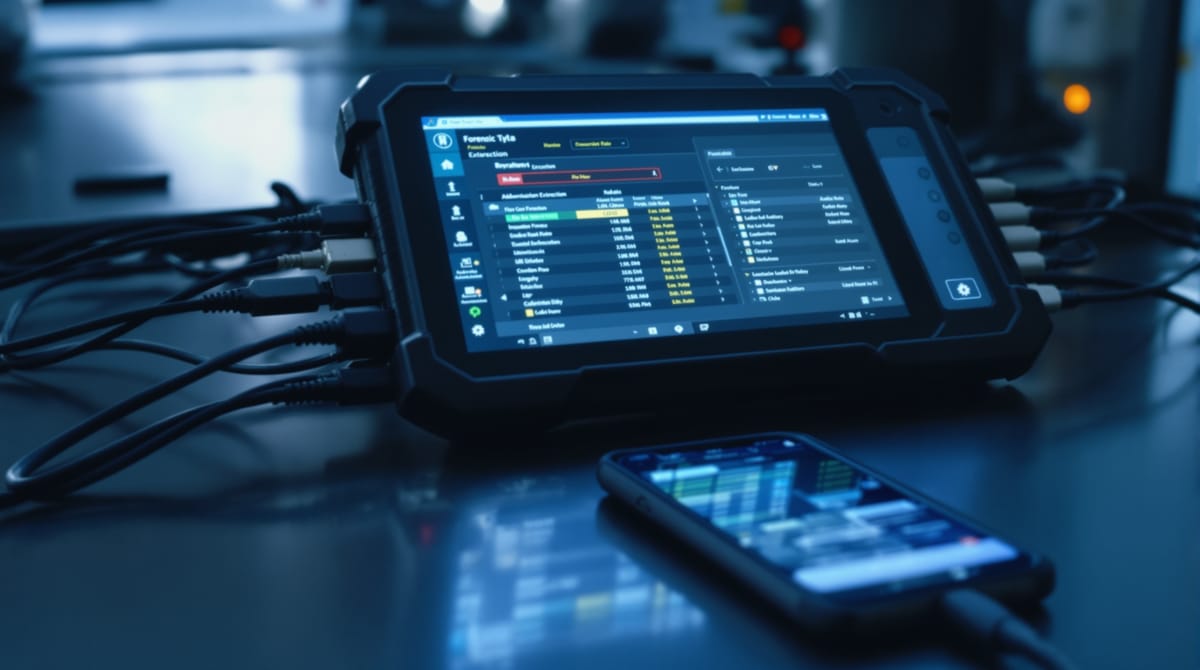
When an officer conducts an advanced search, they're not casually scrolling through your camera roll. They're connecting your device to professional forensic extraction tools—Cellebrite's UFED is the industry standard—that can pull deleted files, app data, location history, cached messages, and metadata. The software can image an entire device in minutes.
As of January 2026, CBP's directive expanded the scope of searchable devices to include smartwatches, SIM cards, GPS systems, and vehicle infotainment systems. Your Apple Watch has GPS history, health data, and notification logs. Most people never think about that until it's too late to matter.
And the data doesn't disappear after the search. CBP stores information from device searches in its Automated Targeting System for up to 15 years. Every time you cross a U.S. border for the next decade and a half, that search is part of your profile.
The Cloud Line
Almost every jurisdiction draws a distinction—at least on paper—between data stored on your device and data stored in the cloud. CBP policy explicitly prohibits officers from intentionally accessing cloud-only data. New Zealand puts devices in airplane mode during searches. Canada advises travelers to enable airplane mode before crossing.
This means that if your sensitive data lives only in the cloud, and your device is signed out of cloud services and in airplane mode when you hit the customs hall, there's very little on the device itself to find.
The practical implications are straightforward. Sign out of email, cloud storage, and any client portals before you land. Don't just close the apps—sign out. An installed app with cached data is searchable. An installed app you're not logged into isn't much use to anyone.
I do this reflexively now. Airplane mode goes on before the fasten-seatbelts sign. It takes thirty seconds and it draws the clearest possible line between the data on my device and the data in my cloud accounts. That line is the one legal distinction that's consistent across virtually every jurisdiction.
The Lawyer Problem
I spent decades as a practicing attorney, so I'll say what the generic "know your rights" articles won't.
If you're a lawyer, a medical professional, or hold a professional license subject to an ethics code, then crossing an international border with client data on your device means you don't just have a privacy concern. You have a potential ethics violation. Under American Bar Association Model Rule 1.6(c), you're required to make "reasonable efforts" to prevent unauthorized access to confidential client information. The ABA has formally urged DHS to strengthen border protections for privileged data. The New York City Bar's ethics committee has issued a formal opinion on what "reasonable efforts" means in this specific context.
The CBP protocol when you assert attorney-client privilege: the searching officer must consult with CBP's Chief Counsel before proceeding. A "Filter Team" of officers not involved in the investigation is supposed to segregate privileged material from everything else. But you have to assert the privilege. Nobody asks you if you're a lawyer. You tell them.
In the reported cases, invoking privilege creates a bureaucratic process significant enough that officers sometimes decide you're not worth the paperwork. That's not a guarantee. But it changes the dynamics.
The bigger issue is upstream. If you're a lawyer who travels internationally and you haven't thought about what client data lives on your devices, you're already behind the ethical obligation. The time to think about this is before you book the flight.
And this isn't just a lawyer problem. Doctors carry patient data. Journalists carry source material. Financial advisors carry client portfolios. If your profession creates a duty of confidentiality, that duty doesn't pause at the customs booth.
Disable Your Biometrics. Here's Why.
You've probably read that you should disable Face ID and Touch ID before reaching customs because officers can compel your finger onto a sensor but can't compel you to reveal a password you've memorized. That advice was clean a few years ago. The law has gotten murkier.
The U.S. Ninth Circuit said compelling a fingerprint to unlock a phone is non-testimonial and doesn't violate the Fifth Amendment. The D.C. Circuit said the opposite—that biometric unlocking is functionally the same as revealing a passcode. The Supreme Court hasn't resolved the split, and may not for a while.
But the practical advice hasn't changed. Disable biometrics before you reach the front of the customs line. There's no downside, and the upside—even if it's legally uncertain—is that a strong alphanumeric passcode is the hardest thing for both officers and forensic tools to crack. A powered-off phone with a long password is a significantly harder target than a phone that opens with your face.
On an iPhone, hold the power button and either volume button simultaneously. The phone forces a passcode on next unlock. It takes two seconds.
What I Actually Do
Airplane mode before landing. Biometrics disabled. Signed out of anything I don't need a border agent scrolling through.
I carry a strong alphanumeric passcode—not a PIN. I don't travel with a "clean" burner phone, because frankly, that creates its own problems. An experienced officer who sees a brand-new phone with no data on it isn't reassured by it. They're suspicious of it.
I keep sensitive documents in cloud storage and access them via browser sessions I can close. Anything I'd be uncomfortable having a stranger read isn't on the device.
If I were still practicing law, I'd carry a letter on firm letterhead identifying myself as an attorney with privileged client data on my devices. I'd have the CBP Filter Team protocol committed to memory. And I'd seriously consider whether client data needed to be on my travel devices at all, rather than accessed through a secure virtual desktop after clearing the border.
None of this is extreme. It's twenty minutes of preparation before an international flight. Given the legal landscape, it's what "reasonable" looks like.
Should You Actually Worry?
Depends on who you are.
If you're a tourist with a clean immigration history, a valid visa, and nothing on your phone that contradicts your stated purpose of travel—probably not. The statistical probability of a device search at any given border crossing is tiny.
If you're a long-term traveler, a digital nomad working on a visa that doesn't technically authorize employment, a journalist, a lawyer, or anyone whose devices contain professionally sensitive data—yes, you should think about this. Not lose sleep over it. Think about it. Prepare for it. And then stop thinking about it, because you've done what you can do.
The border isn't the surveillance dystopia that the fear-mongering YouTube channels make it out to be. But it isn't a privacy-protected space, either. It's a place where the usual rules bend, where the legal authority is vast, and where the individual officer has enormous discretion. The smart play isn't outrage or avoidance. It's preparation.
Your phone knows more about you than your closest friend does. Treat it that way when you travel.